
- Web
- iOS
Tetsuzuki Naviてつづきナビ
Tetsuzuki Navi puts the procedures that government offices and companies require for moving, marriage, childbirth, inheritance, tax returns and other life events in order of deadline. You answer a few questions, and it turns what to submit, by when and where, into a single plan.
LanguageTetsuzuki Navi is available in Japanese only and covers procedures in Japan.
Promo video (no sound, Japanese captions). It follows the move of a family of four with a dog.
How it works
Here is how it works, in the order you use it, taking a move as the example.
-
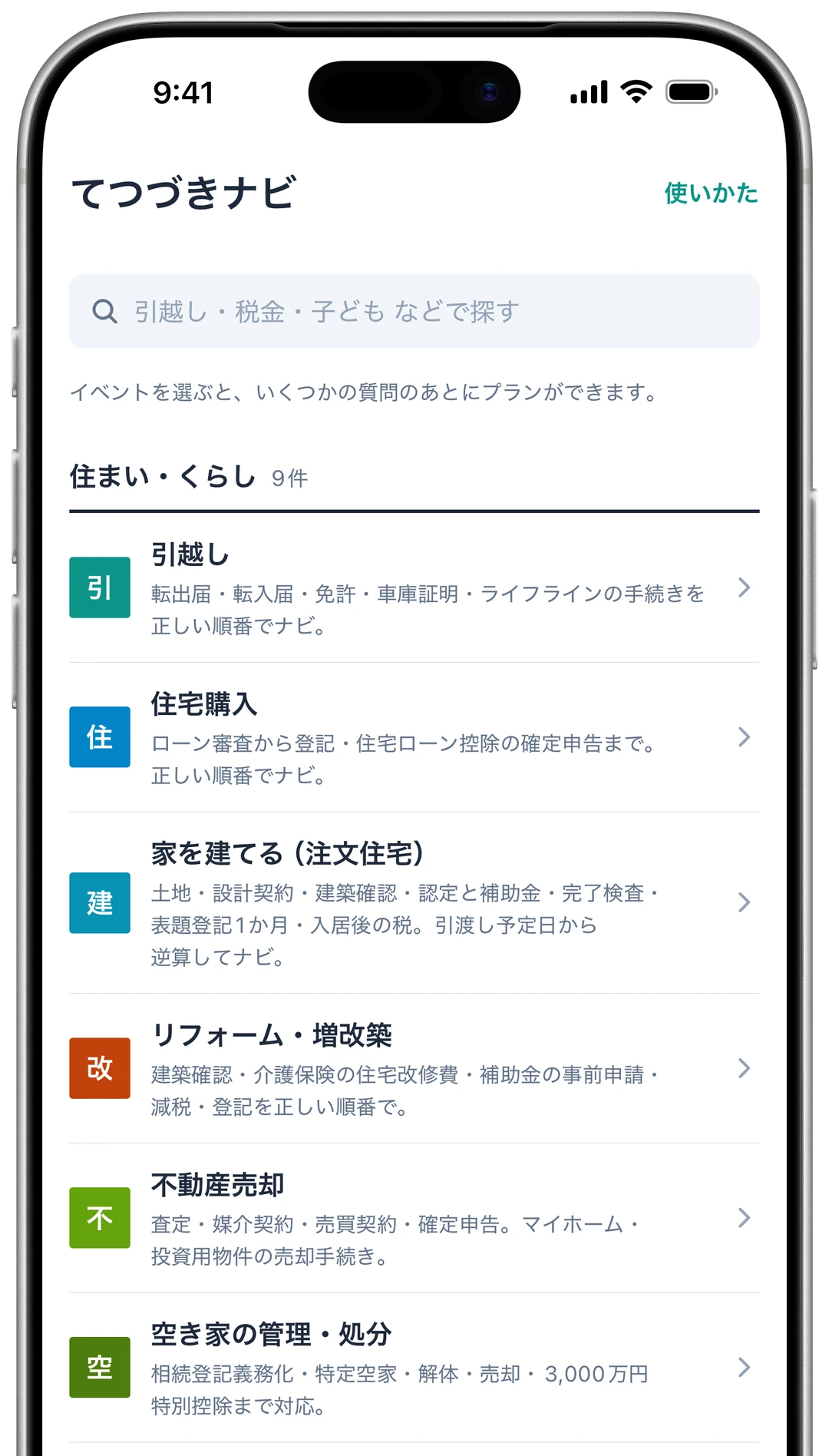
Choose a life event
First, pick the event that has brought on the paperwork, such as a move, a marriage or an inheritance. Life events are grouped by category on the home screen, and you can also search for them at the top.
-
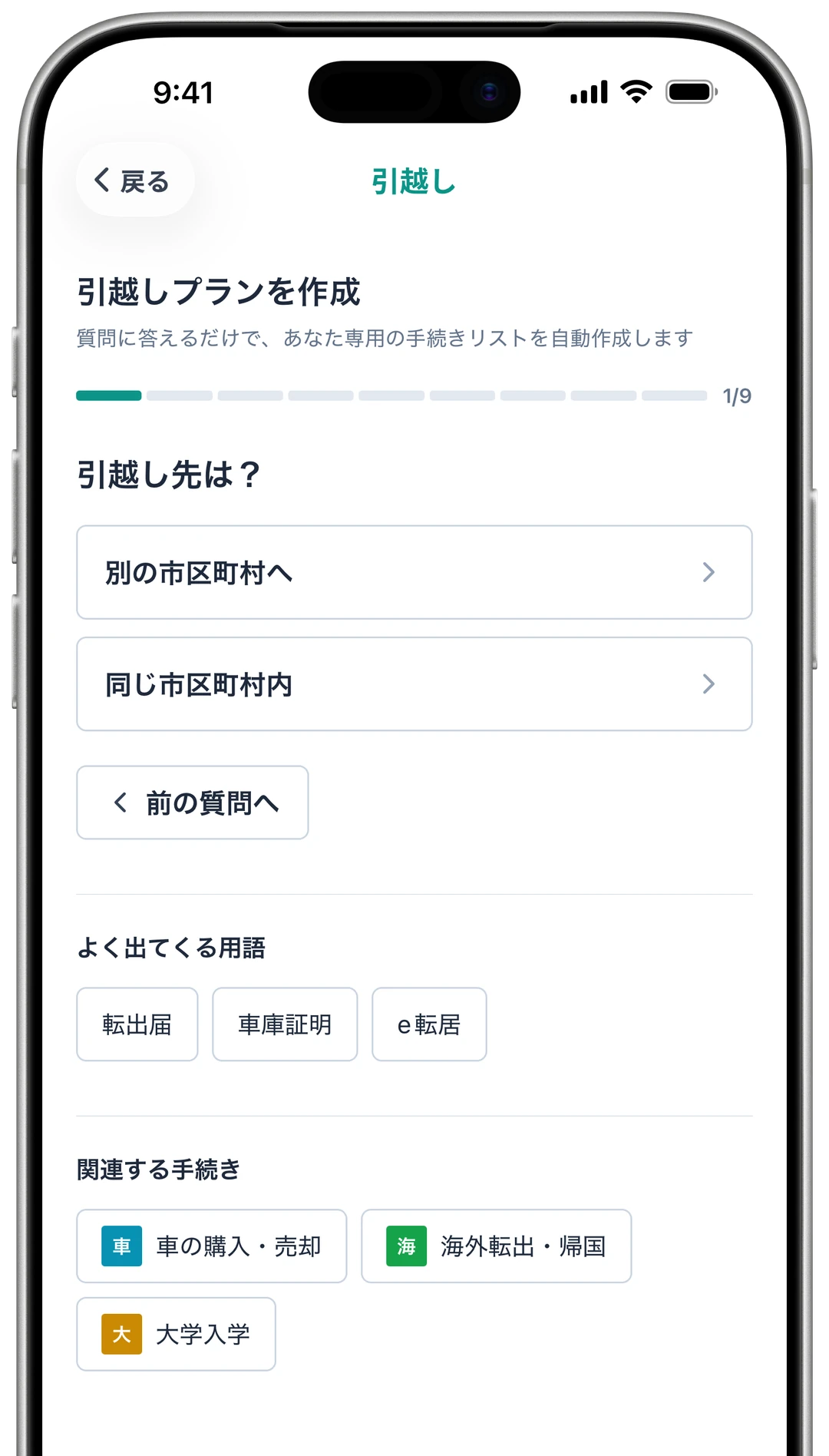
Answer a few questions
Answer a few questions about that event. For a move there are 9, such as “Are you moving within the same city?” and “Do you own a car?”. Based on your answers, only the procedures that apply to you remain.
-
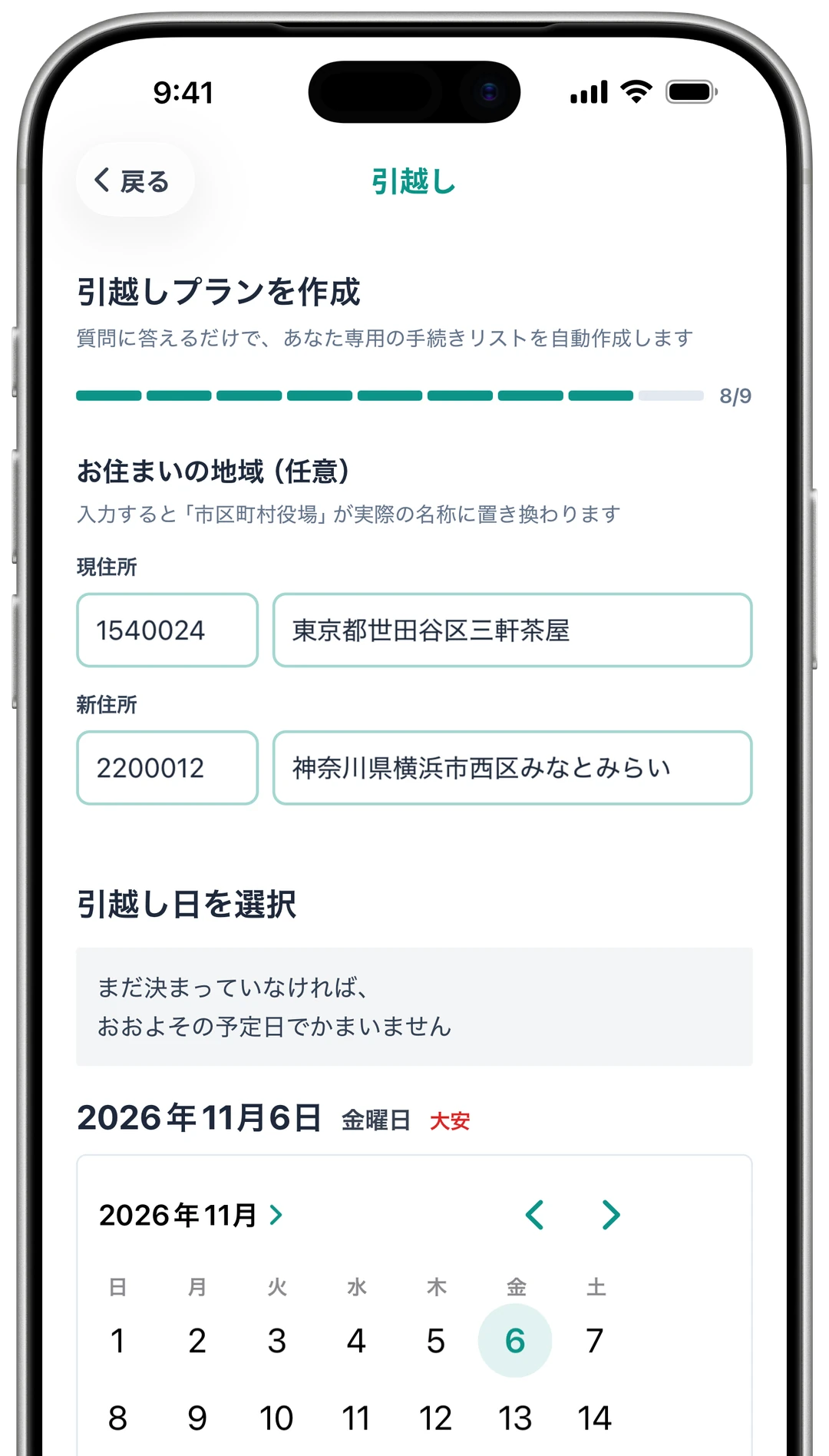
Enter your addresses and moving day
Finally, enter the postal codes of your current and new addresses and your moving day. The address is filled in from the postal code, and offices appear under their actual names, such as “Yokohama Nishi Ward Office” rather than just “city office”. The tax office, public employment office and others are matched to your address too. Addresses are optional.
-
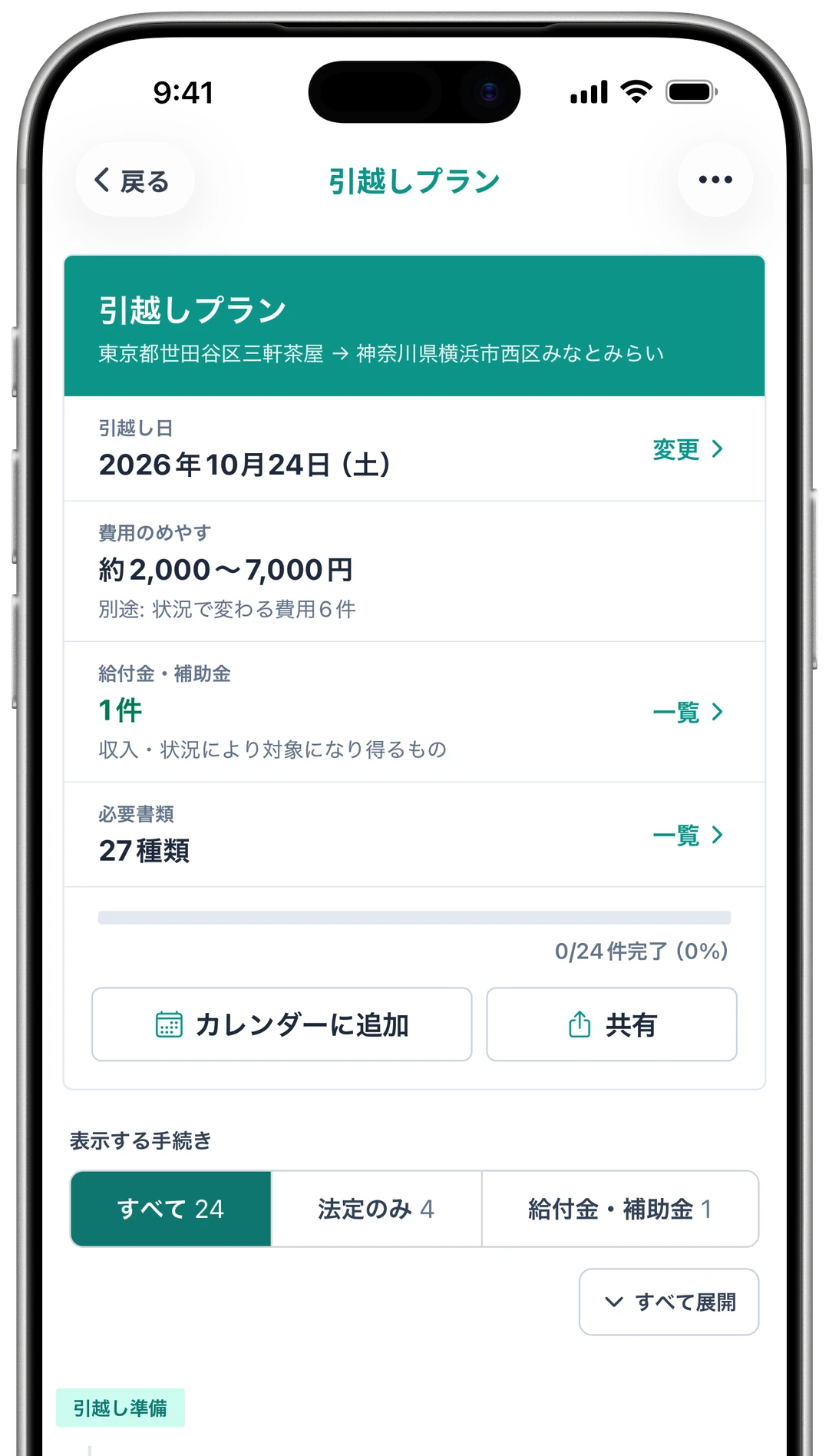
Check costs and benefits
When you finish, your own plan is ready. The top shows the estimated cost of the procedures, how many benefits and subsidies you may be eligible for, and how many documents to prepare. Benefits can be listed with program names and approximate amounts.
-
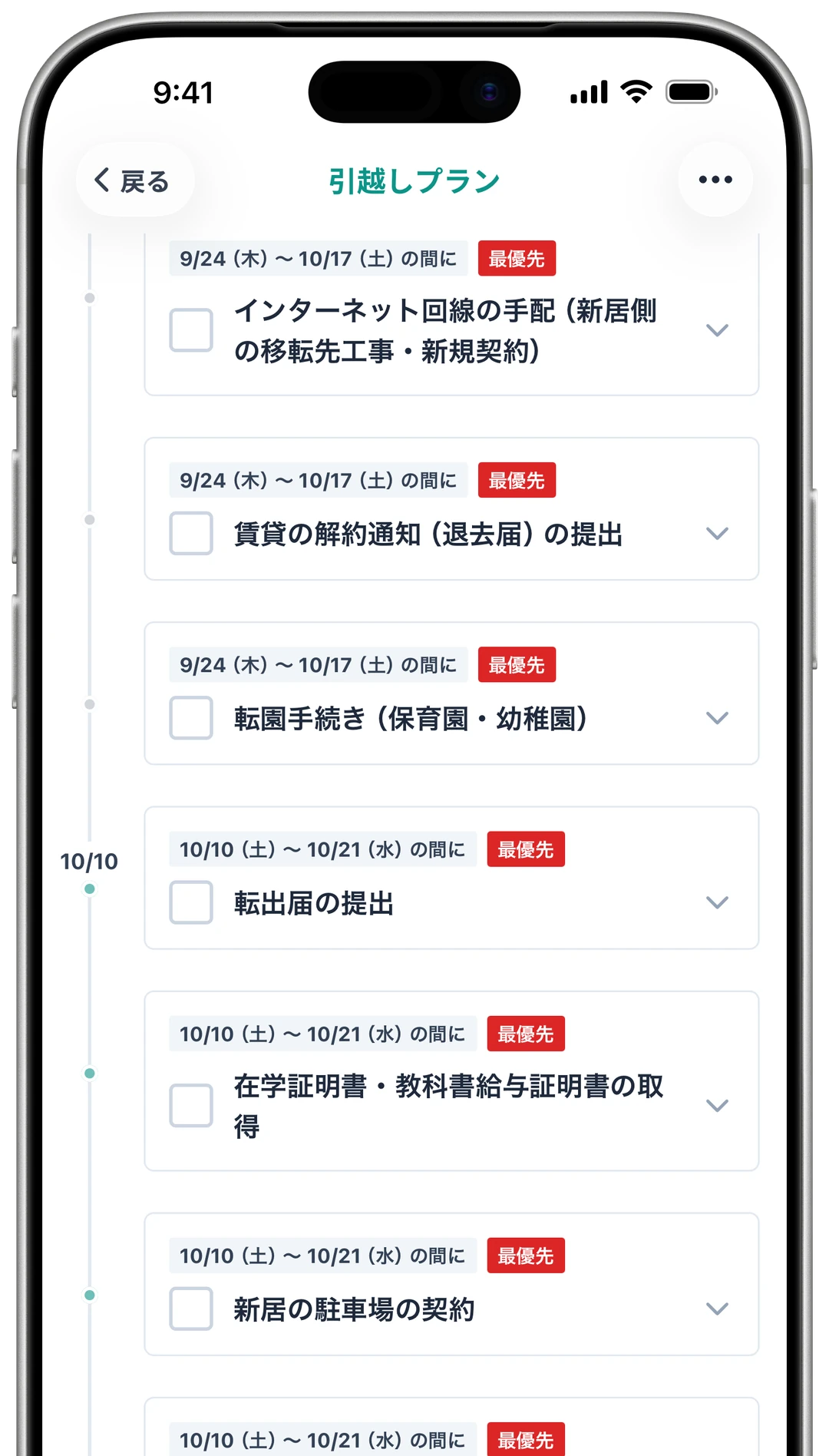
Work through it in date order
Below that, the procedures are listed in the order you should do them. Where the law sets a deadline, as it does for the moving-in notification, that deadline is shown too. Check off finished procedures and you can see how far you have come.
-
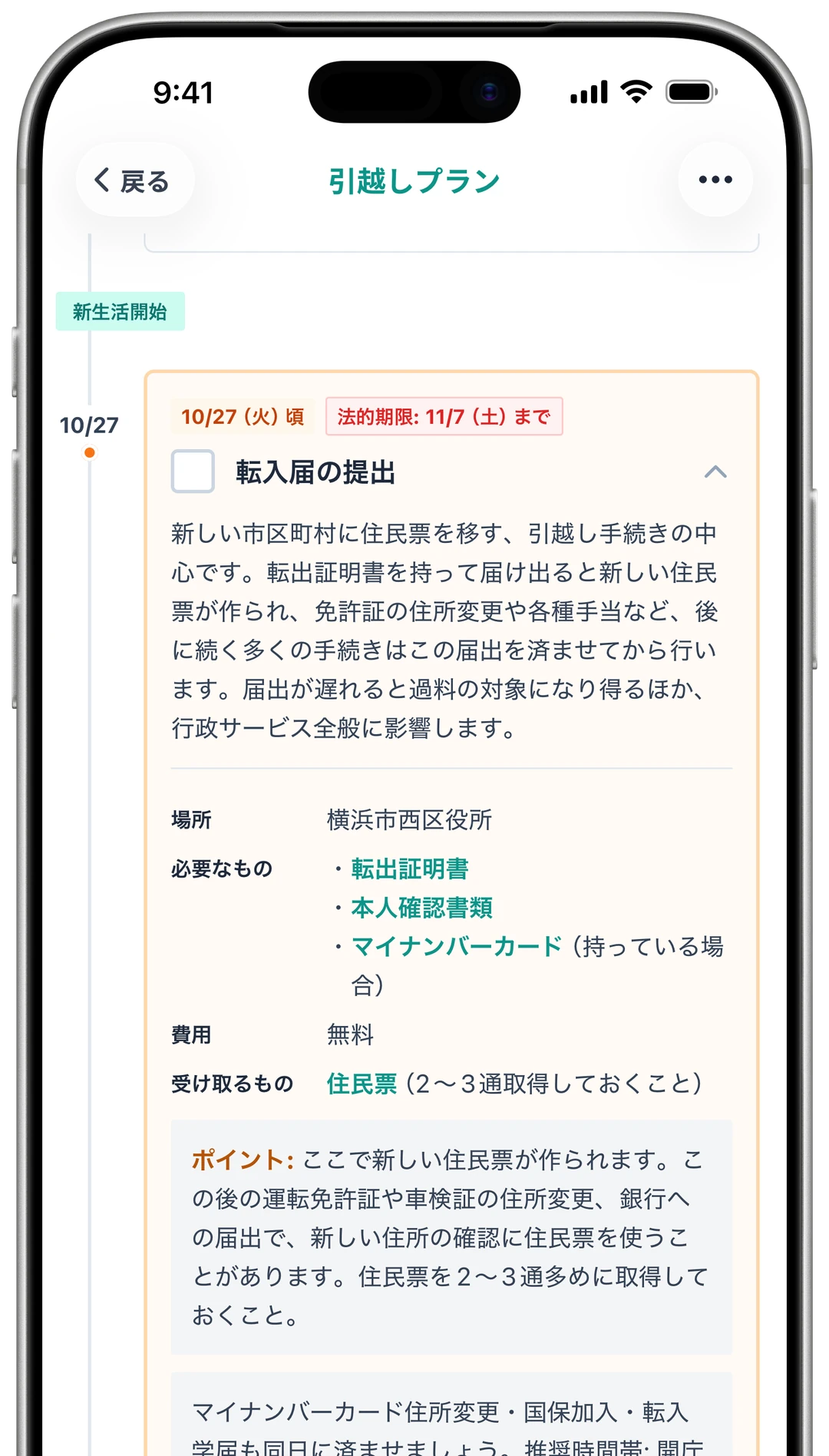
See what each procedure involves
Open a procedure to see what it is for, where to go, what to bring and what it costs. The place is the office for the address you entered in step 3. If a term is unfamiliar, you can look it up right there.
-
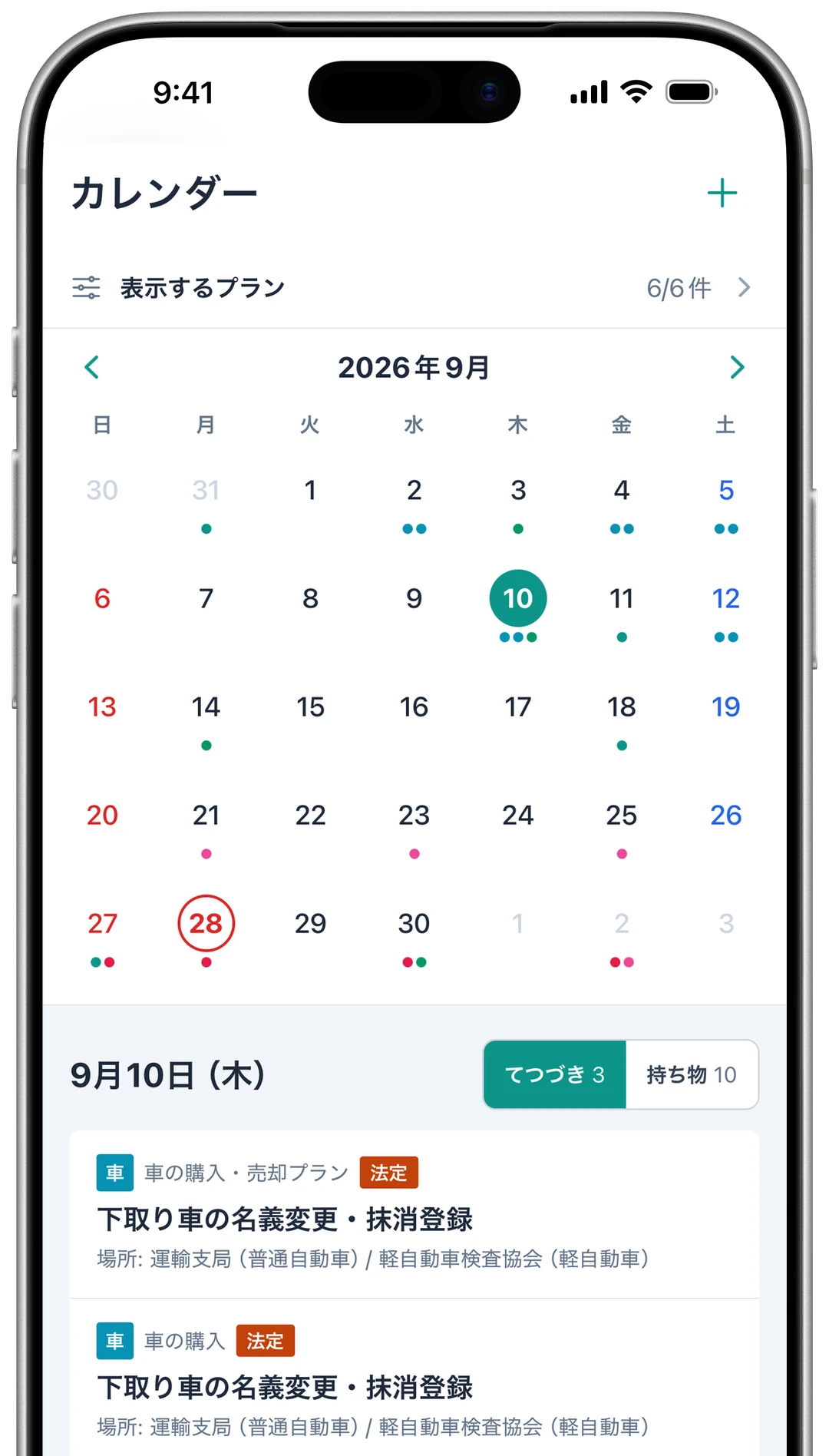
See your schedule on a calendar
Dates from saved plans appear on a monthly calendar. Tap a date to check that day’s procedures and what to bring. The iOS version sends a notification on each target date, and can also add the dates to the iPhone Calendar, where they are kept together in a dedicated calendar.
-
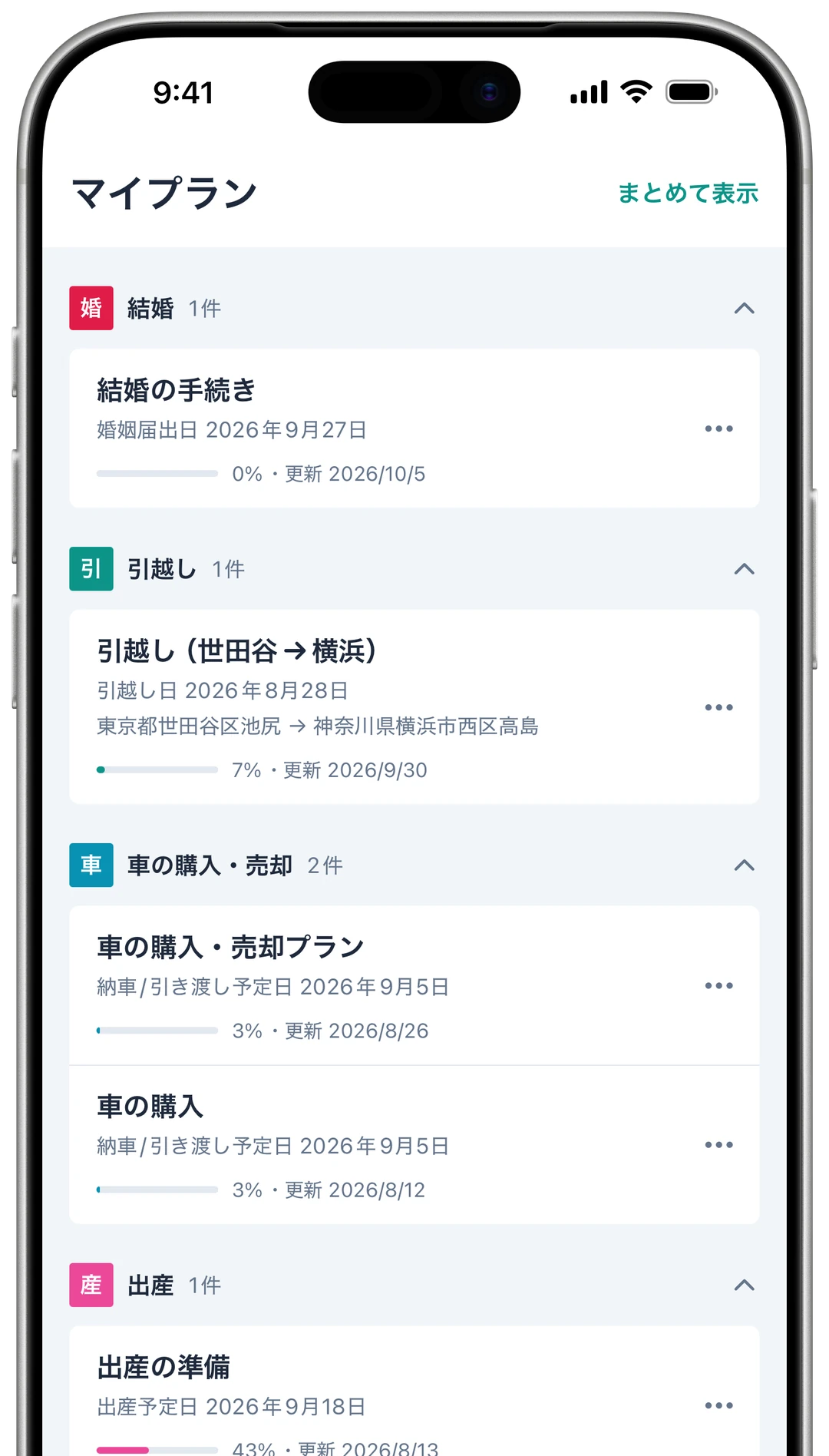
Save it and come back later
You can make and view a plan without an account. To save it, create a free account. Saved plans are grouped by life event under My Plans, and signing in with the same account opens the same plan in both the web and iOS versions. Plans that overlap in time can be shown together on one timeline.
Overview
Both the web and iOS versions cover 40 life events and 740 procedures (as of October 2026). Details, deadlines and required documents are checked against laws and official information from national and local government, and updated when the rules change.
- Name
- Tetsuzuki Navi (てつづきナビ)
- Platforms
- Web (stepnavi.com) / iOS app
- Price
- Free (a free account is required to save plans)
- Requirements
- iOS 15.1 or later (iOS app)
Web browsers on computers and smartphones (web version) - Language
- Japanese
- Latest version
- iOS 2.0.2 (released October 8, 2026)
- Provider
- KOSNiZ
- X
- @stepnavi_com (posts about procedure deadlines and required documents, in Japanese)